
You upload the documents, define the questions, and Eulex Desk fills each cell with a citation — a due-diligence review runs as a single structured pass.
A tabular-review tool built for Croatian and EU law. Every cell links back to the exact page and paragraph of the source document.
Step by step: from zero to a table
- Open Tabular Review — click Tabular Review in the sidebar. The tabs are All reviews / In project / Standalone.
- “+ New review” — enter a name, choose a workflow template (or No template), link it to a project (optional), and select or upload documents.
- Define the columns — each column is a single question or extraction. The “Generate prompt automatically” button writes a prompt from the column name. Choose the cell format. To add, change, or remove several columns at once, open Edit columns with AI and describe the change (“add a column for Term”).
- “Run” — Eulex Desk fills every cell in parallel. The progress window shows how many cells are completed. You can minimise or close it; the work continues in the background.
- Review and filter — clicking a cell opens the full extraction with its citations. Filter by risk colour, then export to Excel.
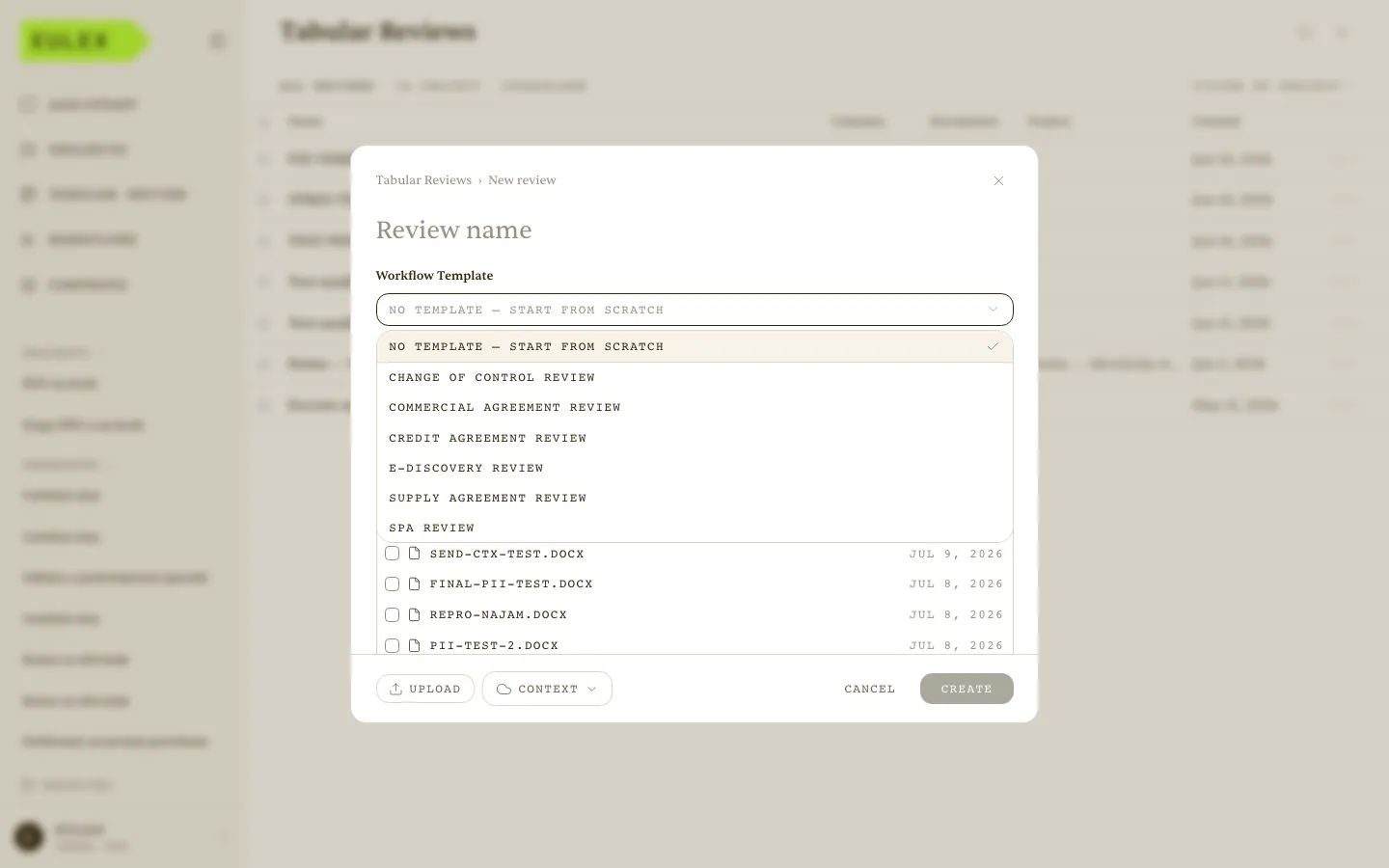 New review — the Workflow Template dropdown listing the built-in tabular reviews.
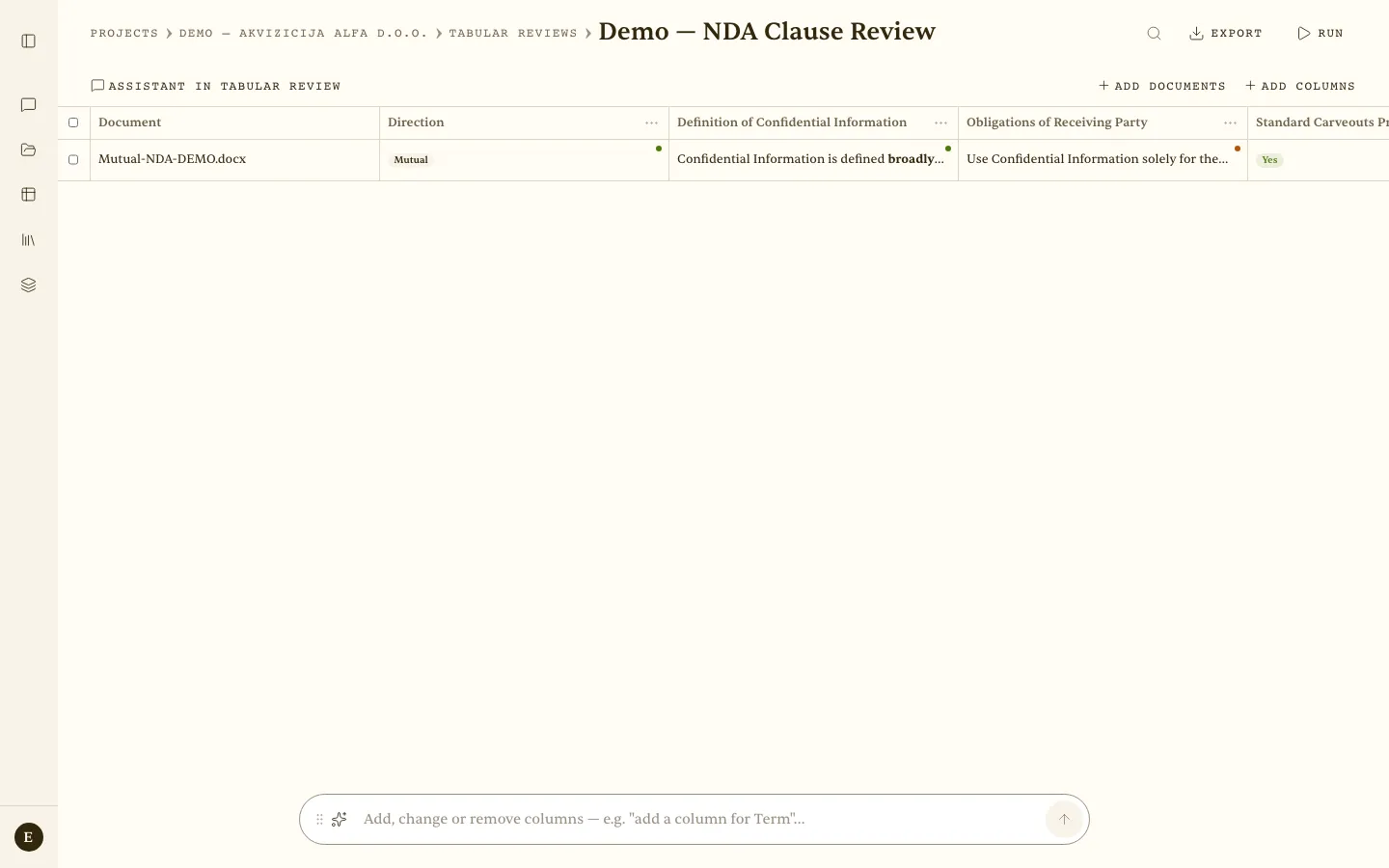 A completed review — Document / Direction (the “Mutual” chip) / Definition of Confidential Information / Obligations of Receiving Party. Green dots mark a cited cell; the bar at the bottom edits columns with AI.
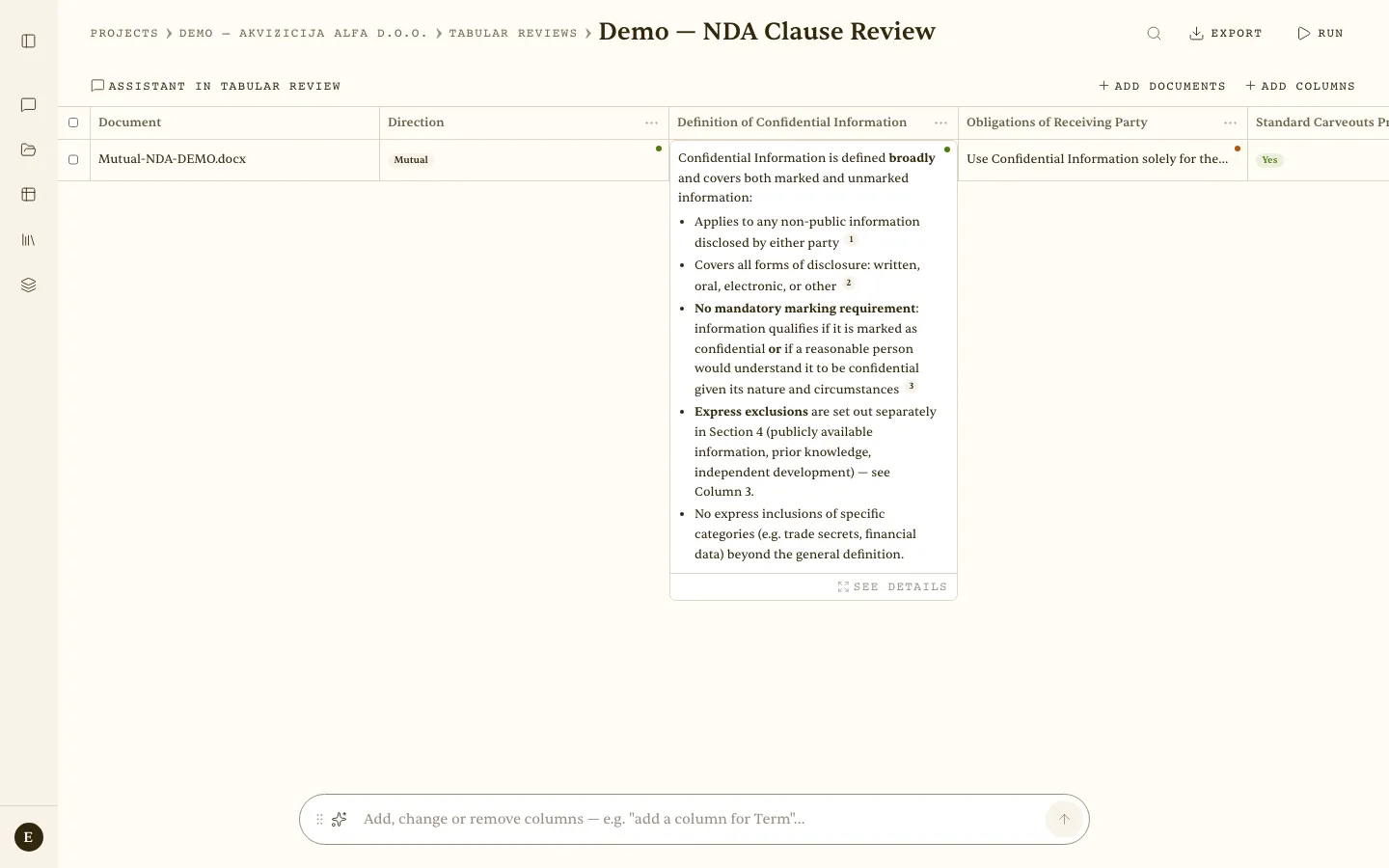 Cell detail — the full extraction with citations ¹ ² ³ and “See details”.
Cell formats
| Format | Example output |
|---|---|
| Free text | analytical prose with citations |
| Bulleted list | • item 1 • item 2 |
| Number / Percentage / Monetary amount | 12 / 42% / 5,000 EUR |
| Currency | EUR |
| Yes / No | Yes (with citation) |
| Date | 1 January 2024 or a range |
| Tags | Low / Medium / High risk |
Ready-made clause templates
Parties, Governing law, Entry into force, Term, Termination, Change of control, Confidentiality, Assignment, Payment, Amendments, Indemnification, Warranties, Force majeure
Additional actions
- Export to Excel — the whole table in one click.
- Actions → Add documents / columns, Clear results, Delete review.
- People with access — share with collaborators (read + write).
- Assistant in the review — ask something about the document set; the answers are written into the cells.
The PII shield applies to tabular reviews as well: documents and column prompts pass through it before they reach the model. Saved contexts do not apply to tabular reviews.
Scenario — portfolio of 80 contracts — A department head creates “Leases 2026”, uploads 80 contracts, and selects the Commercial Lease Review template with 8 columns. Within a few minutes they have 640 cited cells. They filter by red tags to see the risky termination clauses at once, then export to Excel for the board.
