
The heart of Eulex Desk — a conversational interface that reads, cites, searches, drafts and edits documents.
Asking questions and attaching documents
- Type your question (Croatian or English) into the field at the bottom and press Enter.
- Click + Documents to attach: upload a file from your computer, browse everything you have uploaded, or import from the Google Drive / Microsoft 365 / Box connectors.
- Attached documents appear as tags above the field; remove them by clicking the ×.
- Paste a long text (a clause, a contract, an email thread) and Eulex Desk attaches it as a Pasted text document instead of flooding the message.
Supported formats: PDF (with OCR for scanned files), Word (.docx), and legacy Word (.doc).
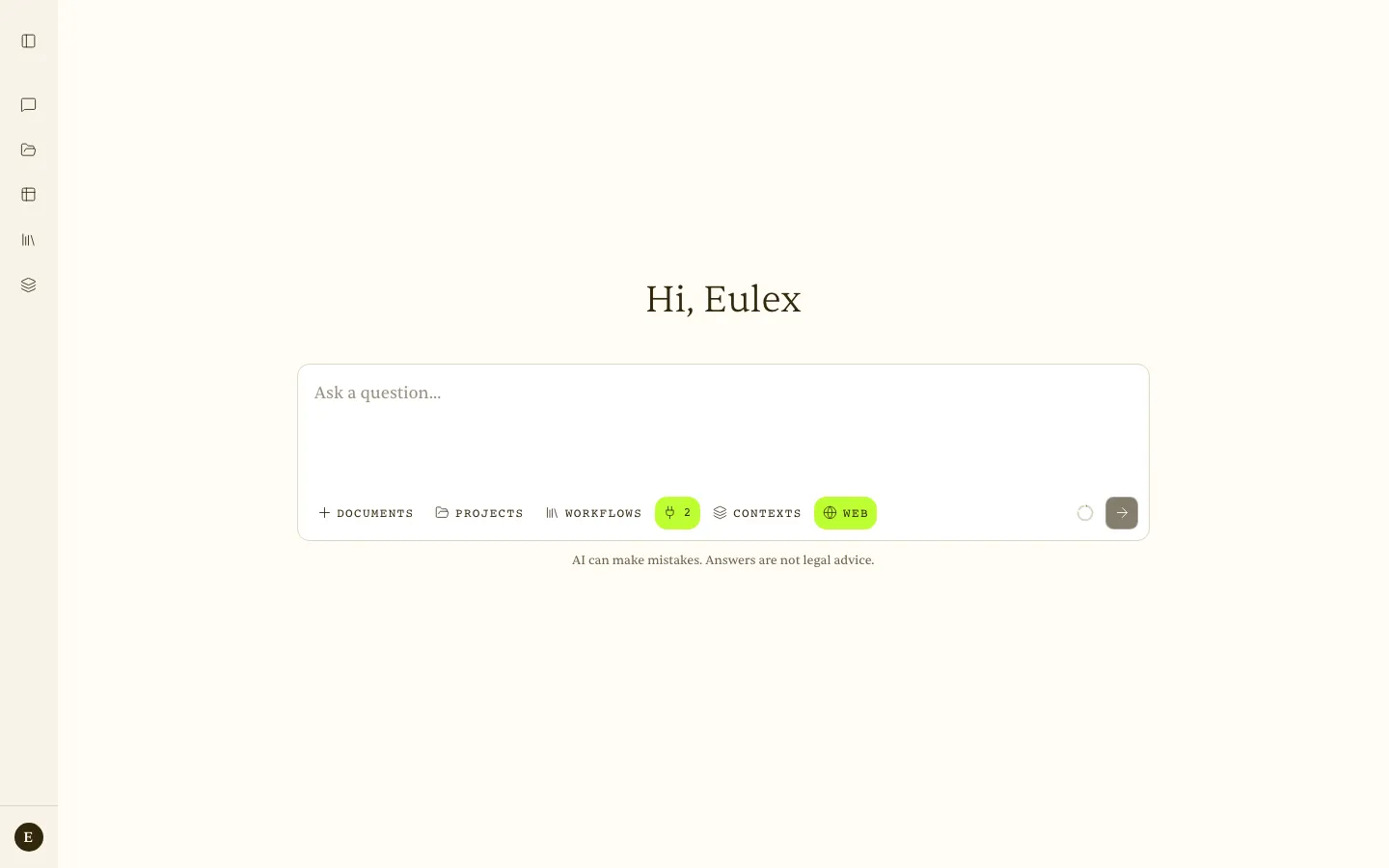 Initial state — toolbar with Documents, Projects, Workflows, Context, Contexts, and Web.
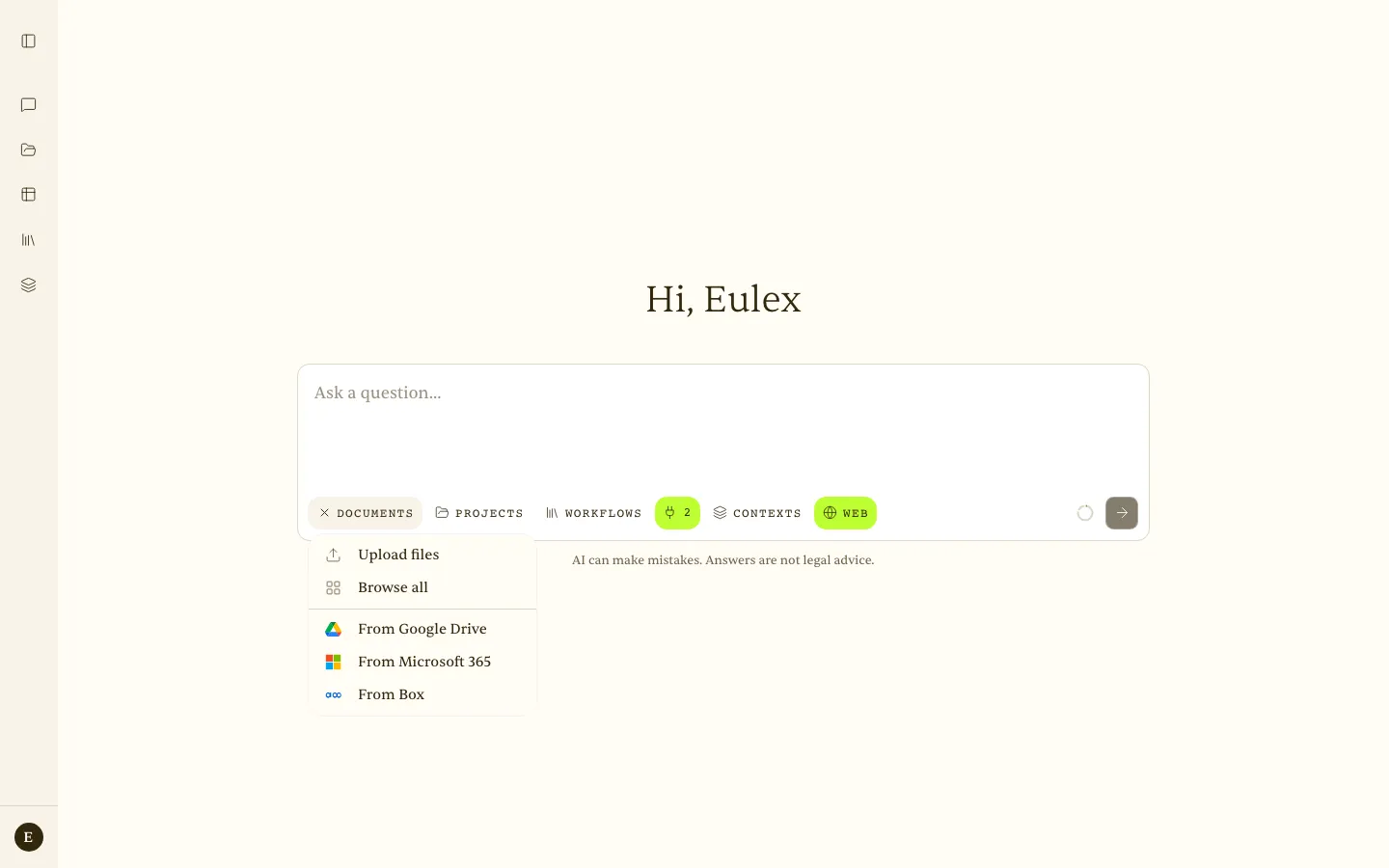 + Documents — Upload files, Browse all, and import from Google Drive, Microsoft 365, or Box.
Conversation history
The sidebar lists your conversations. Pin the ones you return to (they stay under Pinned), move related conversations into a group, and archive finished ones — the Archived view keeps them searchable without cluttering the list.
Improve question
The Improve button turns a short phrase into a precise legal query from three perspectives. It appears in the toolbar as soon as you start typing.
- Type a rough question (for example,
termination of an employment contract) and click Improve. - Eulex Desk offers three variants: Normative (statutory provisions), Compliance (practical steps), and Systemic (the wider framework of protection).
- Choose with the 1, 2 or 3 keys, navigate with the arrow keys, press Enter to select or Esc to dismiss.
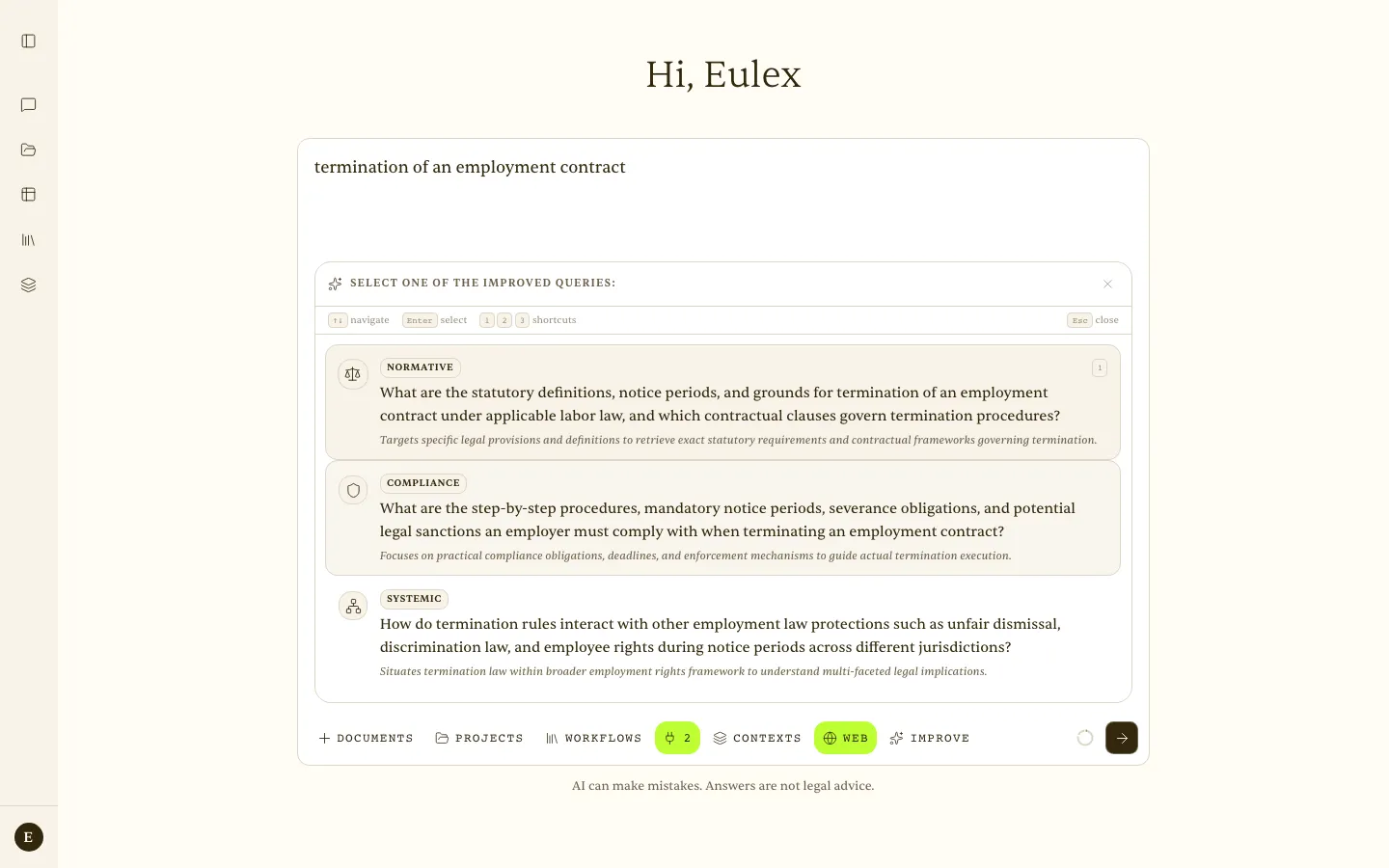 Improve — Normative / Compliance / Systemic perspectives, each with a description of its focus.
Scenario — A junior types
termination of an employment contract. After clicking, they get three versions with different focus. They choose Normative and immediately receive an answer cited to the exact articles of the Employment Act, rather than a generic definition.
Web search
The Web switch turns on search. When it is active, Eulex Desk searches three kinds of source:
- Official sources — verified government domains: the Tax Administration, ministries, the Official Gazette (Narodne novine), courts, and registers.
- Web — general search for context and background.
- News — the latest developments (about 30 days by default). Useful for tracking changes in regulation.
With Web switched off, you get a faster answer without a search, which is useful for conceptual questions.
Reading URLs and PDFs from the web
Paste a public URL and ask for what you need. Eulex Desk reads the page or PDF and answers with citations. You see the status Reading link… / PDF read in the status bar.
“Read https://www.porezna-uprava.hr/… and summarise the conditions for VAT refunds to foreign companies.”
Background tools
Eulex Desk decides for itself what to call. You see a status that updates as it works (for example, “Reading document…”, “Searching Croatian legislation…”). Clicking “Completed in N steps” opens a detailed log of the tools that were used.
| Tool | What it does |
|---|---|
| Read document | Reads the full text of an attached document for analysis. |
| Search within document | Finds a term in a document with its surrounding context (a semantic Ctrl+F). |
| Create Word document | Builds a .docx from structured content (headings, paragraphs, tables). |
| Edit document | Proposes tracked changes with reasoning; you accept or reject each one. |
| Replicate document | Produces 1–20 copies of a document (for example, the same NDA for several recipients). |
| Search official sources | Searches verified domains (tax, employment, courts, registers). |
| Web / News | General web search and the latest news. |
| Read URL | Fetches and extracts text from a public web page or PDF. |
| Legislation | Searches and retrieves articles from the legal corpora switched on for the chat (see Legislation and connectors). |
| Workflows | Loads and applies a workflow template. |
Drafting and editing documents (tracked changes)
- Drafting: “Draft a contract for services under Croatian law for…” → Eulex Desk generates a
.docxto download. - Editing with tracked changes: attach a
.docxand ask for a change → Eulex Desk proposes Accept / Reject cards; you decide what stays. - Draft Mode in the editor: open a document in the side panel, switch it to Editing, select a passage, and click Edit selection. Write an instruction or pick a quick action — Soften the wording, Strengthen liability, Rephrase neutrally, Shorten — and the edit arrives as a tracked change in the document. See Documents.
Scenario — redlining in two minutes — “Adjust this lease in the landlord’s favour: add a deposit of two months’ rent, indexation, and an out-of-court eviction clause.”
Eulex Desk returns a series of tracked changes, each with its reasoning. The trainee accepts the ones they want and downloads the final document.
Citations and sources
Every factual statement is backed by a citation. Superscript markers ¹, ², ³… appear in the text; clicking one opens a side panel with the document name, page number and the verbatim quotation.
Citations to legislation and case law carry a jurisdiction badge (EU, HR, FR, SI, DE, Case law) and open the cited article or decision in the panel, with its in-force status and a link to the official source — EUR-Lex, Narodne novine, the case-law portal, Légifrance, PISRS, or Gesetze im Internet. Croatian court decisions cited in an answer are clickable in the same way.
Every claim links to a real source you can open and check, so you never take an answer on trust alone.
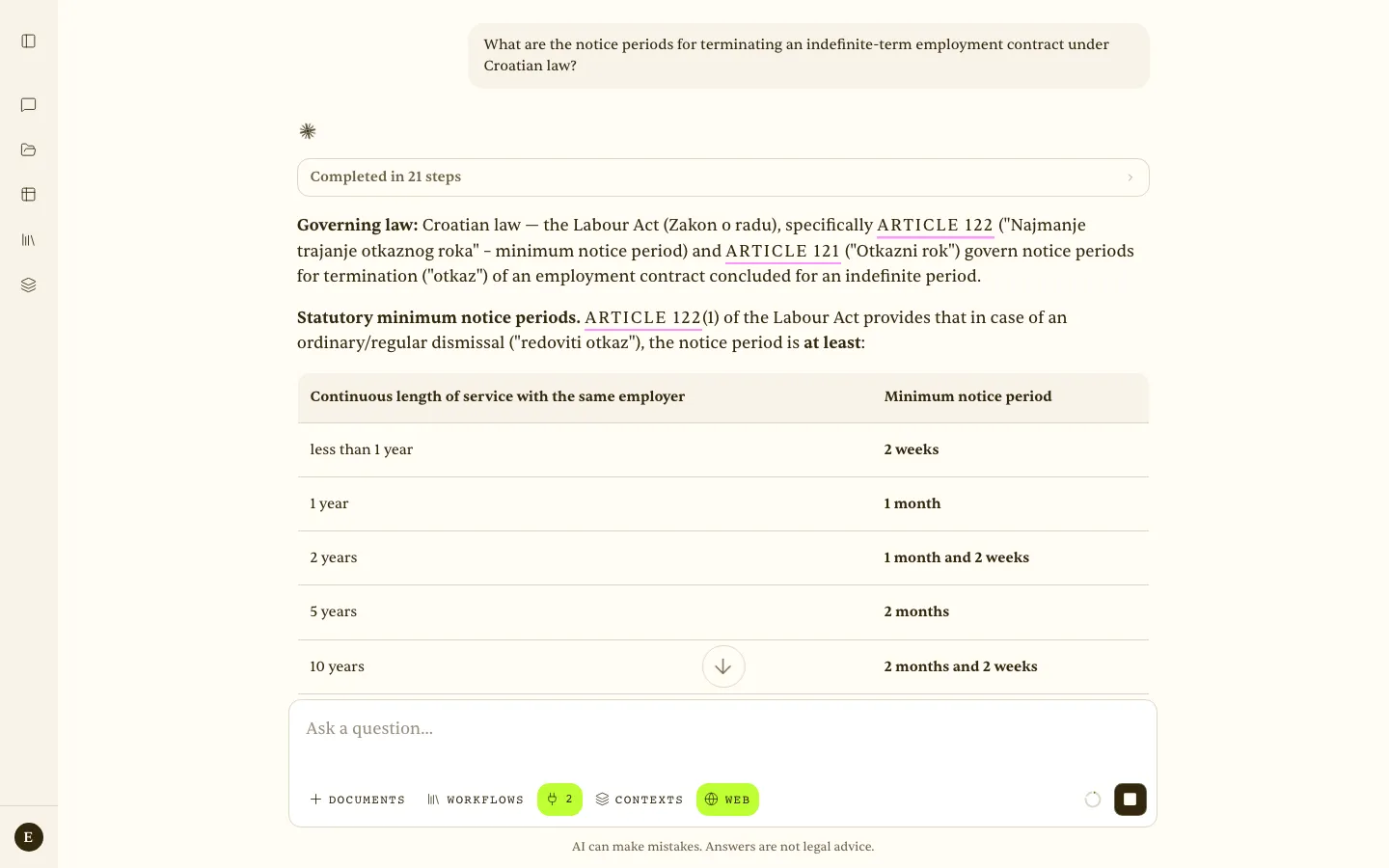 An answer on notice periods under the Croatian Labour Act — “Completed in 21 steps”, with the cited articles highlighted inline.
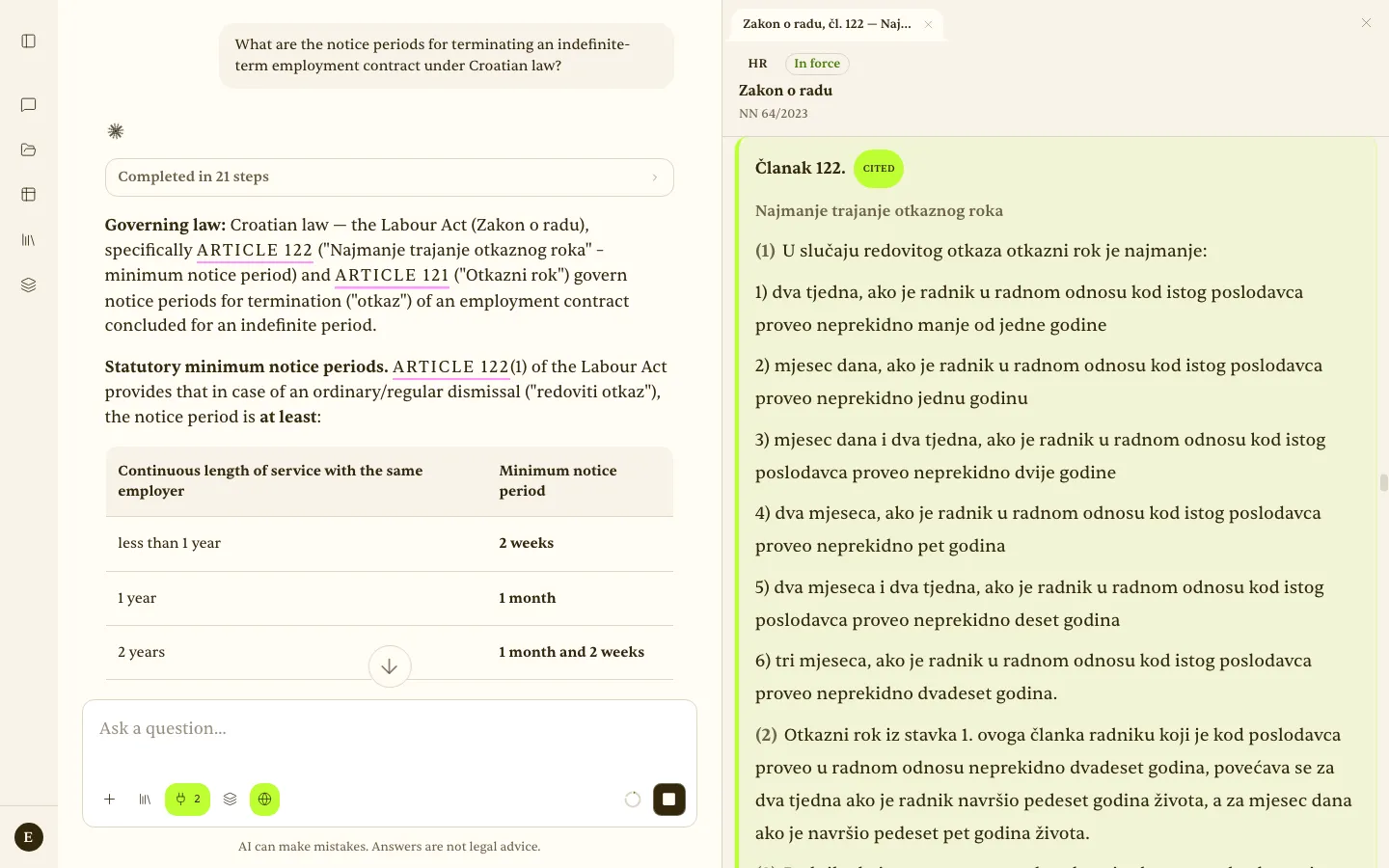 Citation panel — Zakon o radu, Article 122: the HR badge, in-force status, gazette reference, and the cited passage highlighted.
Models and usage
The AI providers (Claude, OpenAI, Gemini, Mistral) are centrally managed and metered against your plan; the model used for tabular reviews is set under Account → Models & API Keys. On the Legal Pro and Legal Team plans you can add your own API keys.
A small ring next to the field shows how much of today’s usage quota you have used; hover it for the percentages. See Account & billing.
Legislation and connectors (Context)
The Context button in the toolbar (with a counter of active sources) chooses which legal corpora and tools Eulex Desk may use in this chat.
- Legislation (built in): EU, Croatia, France, Austria, Italy, Germany, Slovenia, and Zagreb (the Official Gazette of the City of Zagreb). Croatia is on by default; switch the others on per chat when a question touches that jurisdiction. Which corpora start enabled follows your presets under Account → Context.
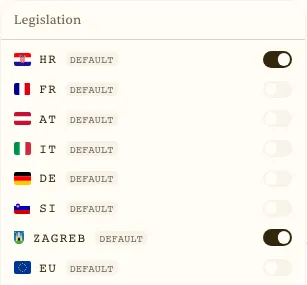 Context → Legislation — jurisdictions switched on or off for this chat.
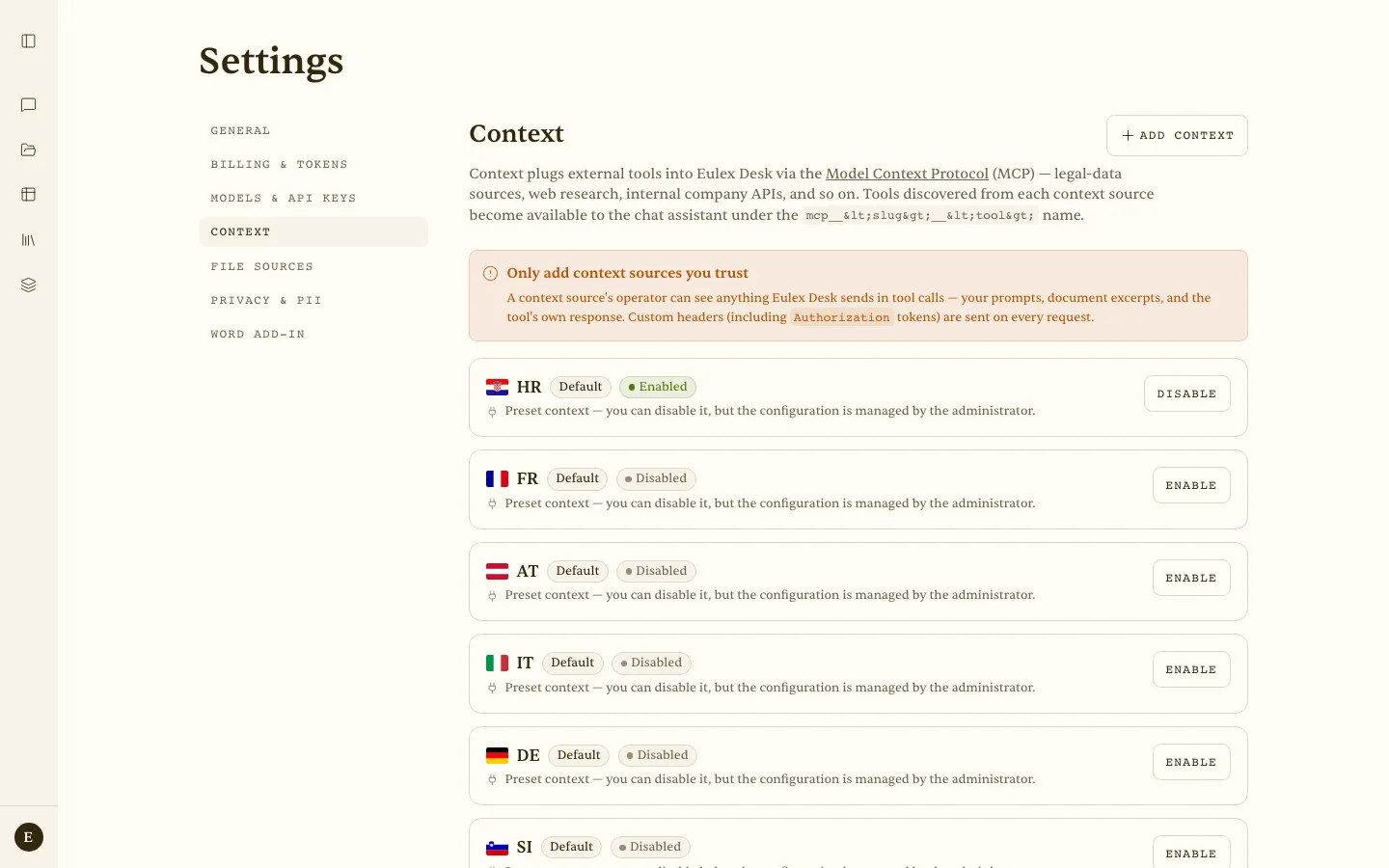 Account → Context — the preset jurisdictions (HR enabled; FR, AT, IT, DE, SI disabled) and Add context for your own MCP server.
- Your own connectors: add an MCP server by URL (API key or OAuth) under Account → Context. Available on the Pro plan and above.
Not to be confused with Contexts — the layered-icon button next to it, which applies your own saved sets of sources and instructions. Context decides where Eulex Desk may search; Contexts decide what it must limit itself to and how it should work.
Privacy — MCP — The operator of an external MCP server can see the tools called, the queries, and document excerpts. Add only servers you trust. The built-in legislation servers are operated by Eulex.
